Uber Eats CAD
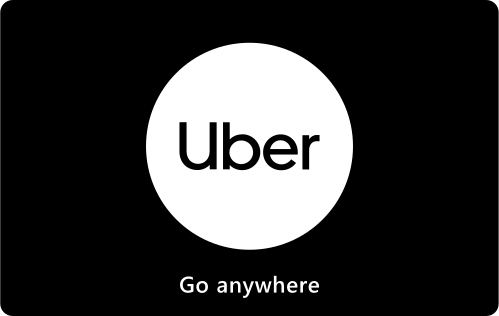
Send Uber Eats CAD digital gift cards to employees, customers and partners with Giftronaut — delivered instantly by email or link, with no platform fees.
Availability varies by country and can change daily.
Product Detail Description
Gift Uber Eats to the people you care about, or add value to your Uber Eats account. The Uber Eats app is the easy and reliable way to get the food you want, delivered fast and fresh. Tap the app and pick from hundreds of full menus from local restaurants and have your order delivered to you at Uber speed. Plus, payment is automatic—no cash, no card, no hassle. - Order from hundreds of local restaurants - Choose from full menus - Track delivery - Cashless payment ----- Offrez Uber Eats à vos proches ou profitez d'une valeur ajoutée sur votre compte Uber Eats. L'app Uber Eats est la façon simple et fiable de vous faire livrer en peu de temps les repas fraîchement préparés qui vous font envie. Touchez l'app et choisissez parmi des centaines de menus complets de restaurants locaux pour recevoir votre commande à la vitesse Uber. De plus, le paiement est automatisé : pas d'argent, pas de carte, pas de souci. - Commandez auprès de centaines de restaurants locaux - Faites votre choix parmi des menus complets - Suivez la livraison - Effectuez votre paiement sans échange d'argent.
Redemption Instructions
Gift cards may be used to apply Uber credits to your account. To redeem a gift card: 1. Make sure you have the latest version of the Eats app. 2. Tap the menu Account tab and select "Wallet". 3. Tap "Add Payment Method" and select "Gift Card". 4. Enter your gift code (no spaces). Once a gift card is added to an Uber account, it can't be transferred. You can't reload a gift card, but you can continue to add up to £1,000 in gift card credits to your account. ----- Les cartes-cadeaux peuvent être utilisées pour appliquer des crédits Uber à votre compte. Pour utiliser une carte-cadeau : 1. Assurez-vous de disposer de la dernière version de l'application Eats. 2. Appuyez sur l'onglet Compte du menu et sélectionnez "Portefeuille". 3. Appuyez sur "Ajouter un mode de paiement" et sélectionnez "Carte cadeau". 4. Entrez votre code cadeau (sans espaces). Une fois qu'une carte-cadeau est ajoutée à un compte Uber, elle ne peut plus être transférée. Vous ne pouvez pas recharger une carte-cadeau, mais vous pouvez continuer à ajouter jusqu'à 1 000 £ en crédits de carte-cadeau sur votre compte.
Last updated:
Send Uber Eats gift cards in bulk with Giftronaut
One account, the full catalog, and no platform fees.
Face value, no platform fees
Send a $50 gift card, pay $50. ACH and wire funding are free.
See pricing →Upload a spreadsheet
Upload your recipient list, add your logo and message, and send now or schedule ahead.
Bulk gift cards →API, Zapier, and MCP
Send rewards automatically from your own app, thousands of tools through Zapier, or an AI agent.
Integrations →4,300+ brands in 225 countries
Recipients redeem in their local currency, with brands available where they live.
International gift cards →Ordering Uber Eats gift cards in bulk?
Get help planning your send, plus volume pricing for eligible programs.
Uber Eats gift cards for Business: Frequently Asked Questions
Where can I buy Uber Eats gift cards for my business?
Buy Uber Eats gift cards on Giftronaut, a gift card platform for businesses. Create a free account, add funds, and send them to one recipient or to a whole list in one order. You pay the face value of each card, with no platform, subscription, or per-card fees. Create a free Giftronaut account.
How do recipients receive and redeem Uber Eats gift cards?
Recipients get Uber Eats gift cards by email, SMS (text message), or reward link. They don't need a Giftronaut account or an app. The redemption steps are listed on this page.
Can I add my company logo and a personal message?
Yes. Add your logo, colors, sender name, subject line, message to the reward email, and use AI translation to send in the recipient's language. Turn on White Label to keep your brand on every page recipients see. Learn more about branded gift cards.
Can I schedule Uber Eats gift cards for a specific date?
Yes. Schedule an order for a future date and cancel it any time before it is sent. Smart Order automates recurring rewards such as birthdays and work anniversaries. See how Giftronaut works.
What happens if a recipient doesn't redeem their gift card?
You see sent or bounced status for every reward, and you can resend a bounced reward or update the email address at no extra cost. By default, rewards stay redeemable for 180 days. Turn on the Refund Option at checkout to get 50%, 40%, or 30% of unredeemed value back after a 30, 60, or 90 day window.
What if Uber Eats gift cards aren't available in my recipient's country?
Send a Choice Card instead. Each recipient selects their country and currency when they redeem, then picks from gift cards available where they live. Giftronaut covers 225 countries and 51 currencies.
Can I limit which brands my recipients choose from?
Yes. Send one specific brand such as Uber Eats gift cards, offer a custom set of brands you choose, or let recipients pick from the full catalog of 4,300+ brands.