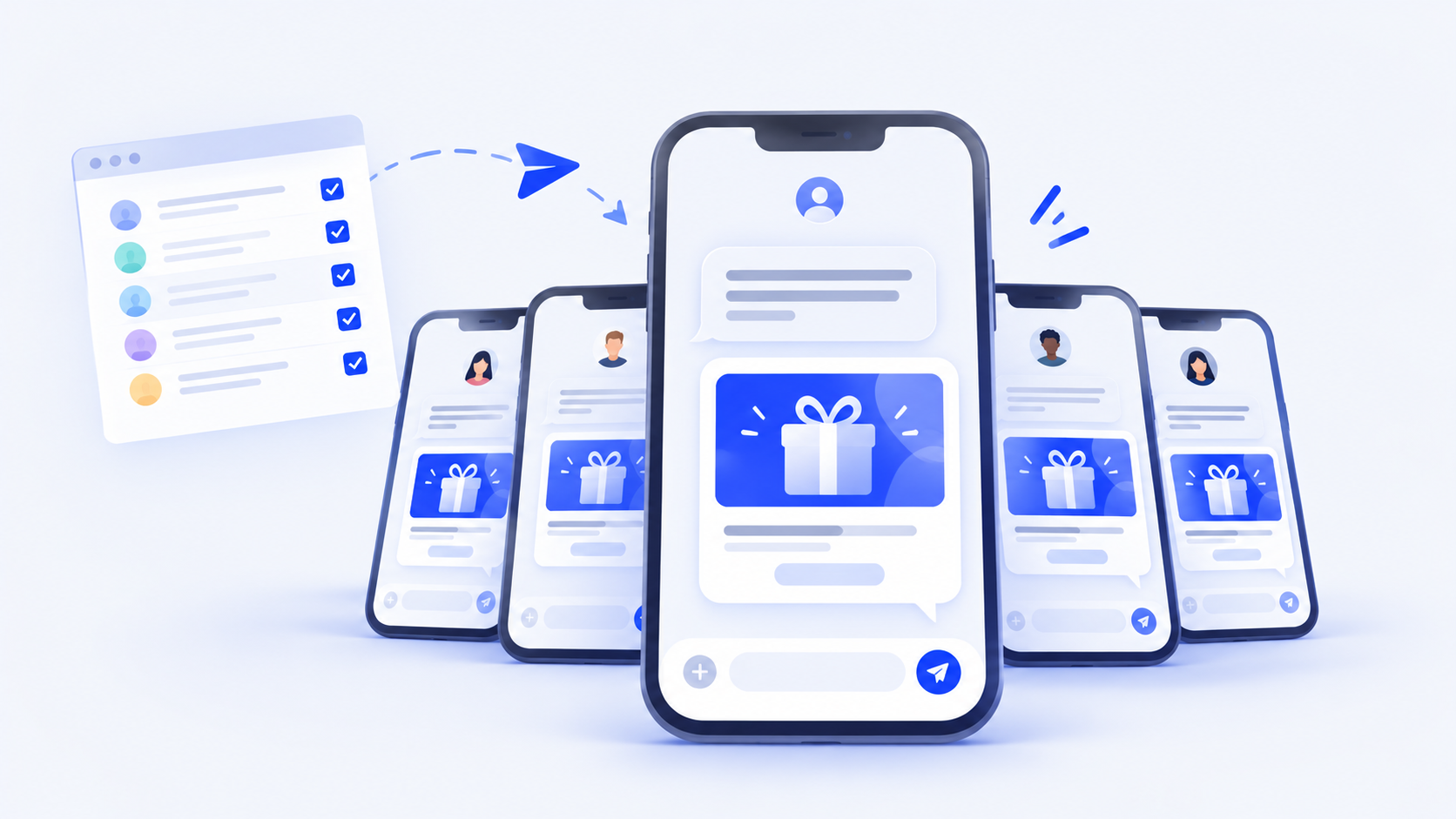
Giftronaut lets you send bulk gift cards by email or text message. SMS delivery works with US and Canadian mobile numbers. Email isn’t always the fastest way to reach people. Frontline staff, field teams, survey participants and program members often don’t have a work inbox, or don’t check it, but almost everyone reads their texts.
With Giftronaut, you can send Choice Cards and Branded Cards to many recipients at once by text message, using their US or Canadian mobile numbers. Each recipient gets their own secure redemption link, and you track every delivery from a single order.
TL;DR
- Sending rewards by text requires each recipient’s consent to receive text messages.
- Giftronaut lets you send bulk gift cards by text message to US and Canadian mobile numbers.
- Each recipient gets their own redemption link and confirms a one-time code before redeeming.
- One order uses one channel, so you track every text delivery in one place.
What Is Giftronaut?
Giftronaut is a digital rewards and incentives platform, helping businesses streamline corporate gifting. Whether it’s for employee rewards, client appreciation, or customer incentives, Giftronaut’s all-in-one portal makes it easy to deliver personalized and meaningful gifts.
- Giftronaut offers email delivery and SMS delivery for Choice Cards and Branded Cards.
- Giftronaut offers more than 4,300 gift card and prepaid card products in 51 currencies, covering 225 countries and regions.
- As of publication, US recipients choose from 795 US products, alongside global options such as the Global Visa Reward Card. Recipients in Canada see products issued for Canada and priced in CAD.
- On a Giftronaut Choice Card, the recipient picks the brand at redemption. On a Branded Gift Card, you select the brand at order time.
- Free to sign up. You only pay the face value of the gift cards you send, with no subscription fees. ACH and wire deposits carry no fee, and credit card deposits carry a 3% processing fee.
- See every way to send bulk gift cards with Giftronaut.
Send your next bulk reward by text
Book a demo to learn more, or create a free account to start sending rewards right away!
When to Send Gift Cards by SMS
Sending gift cards in bulk by text is ideal if you:
- Reward large groups of employees or members who don’t have, or rarely check, a work email
- Run research, survey or health programs where you’ve collected participants’ phone numbers
- Want rewards seen and opened quickly across a large list of recipients
How to Send Gift Cards in Bulk via SMS
Follow these steps to send gift cards to multiple recipients by text message on Giftronaut:
1. Turn on text message delivery
Go to Settings → Control Center and turn on Text message delivery. Read the SMS terms, check the box, and click Enable. You only need to do this once per account.

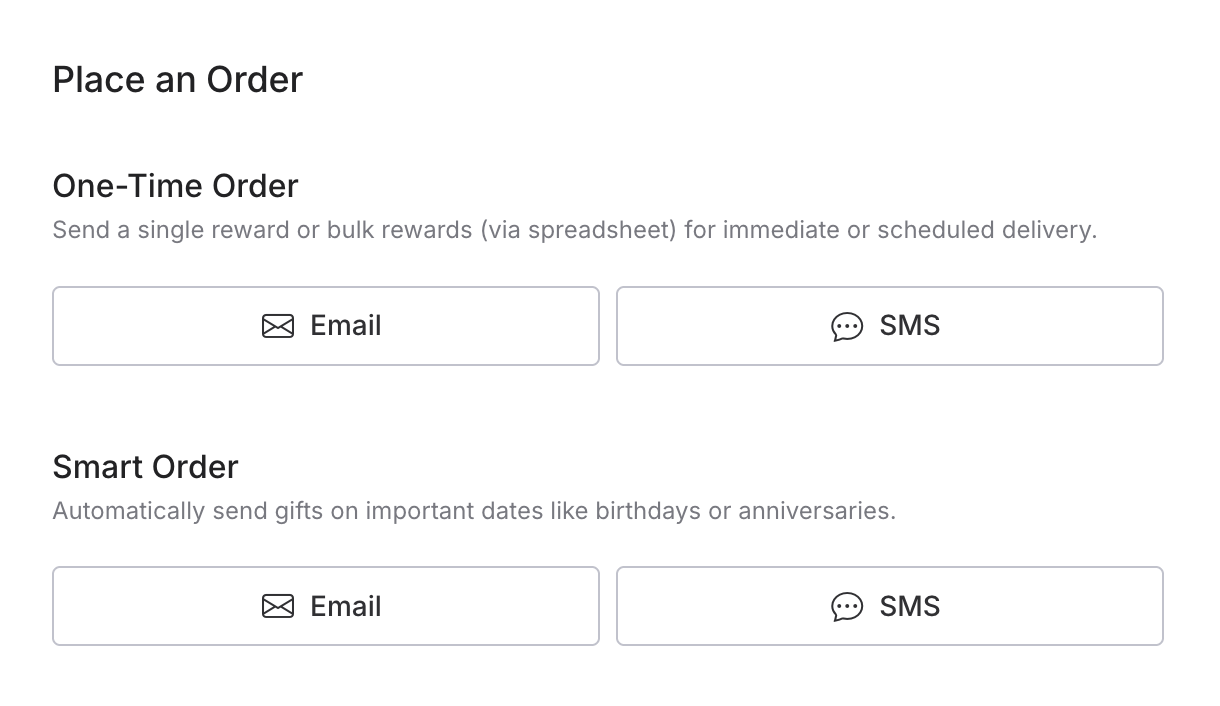
2. Place an order and choose SMS
Click Place an Order, then select SMS on the One-Time Order card. For recurring sends, choose Smart Order instead. If you’re running a campaign, select SMS when you create it. A campaign’s channel can’t be changed later.
3. Choose your reward
Pick a Giftronaut Choice Card, which lets each recipient choose from thousands of brands, or a specific Branded Gift Card, then set the amount.
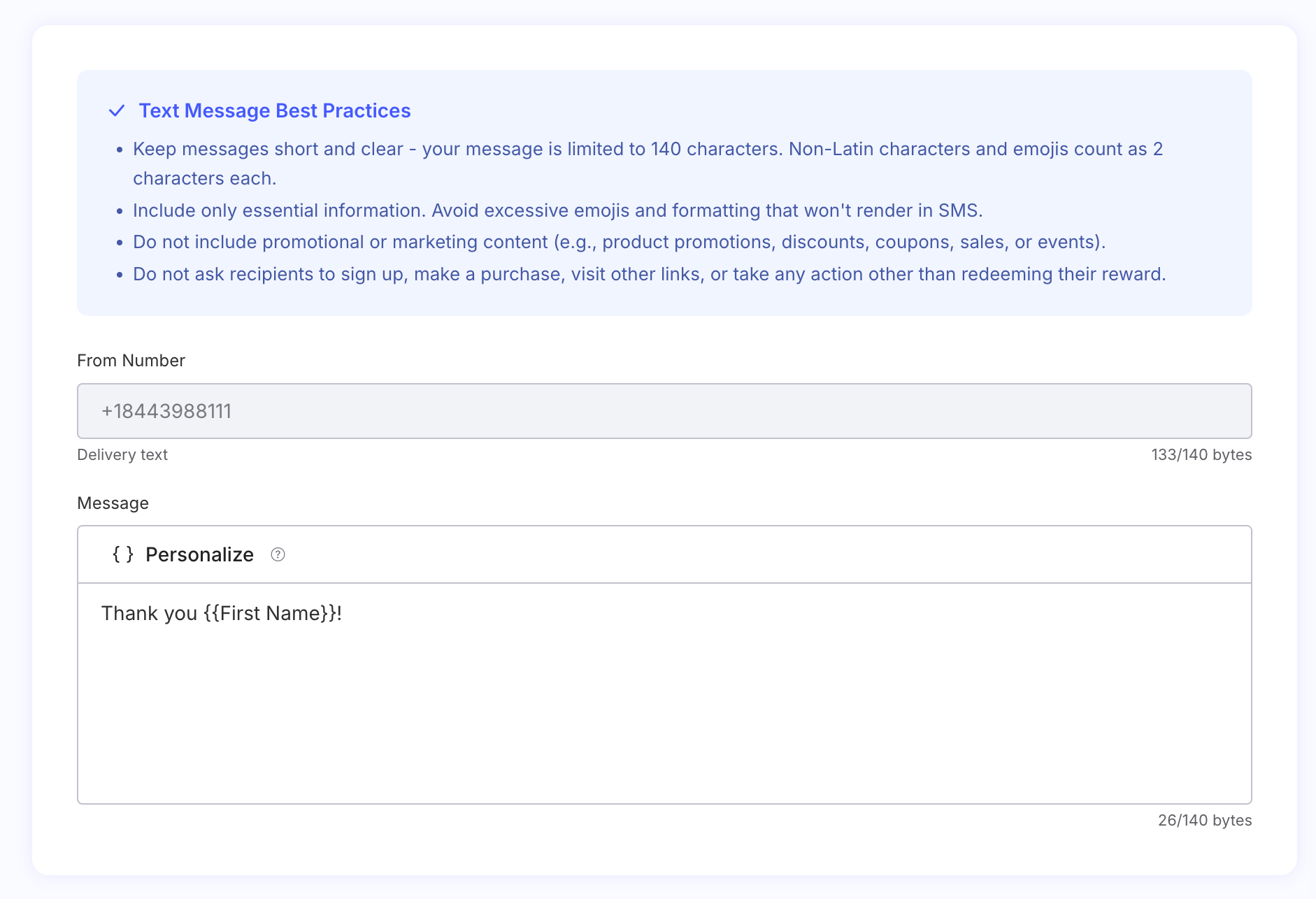
4. Add a personalized message (optional)
Add a short note for your recipients. It arrives as its own text right before the reward link. A live character counter keeps you within SMS length limits, and a phone preview shows exactly what recipients will see.
Please note: SMS is for reward delivery only. Keep messages free of promotions, discounts, or links other than the reward. If your message looks promotional, Giftronaut flags it so you can edit before sending.
5. Add your recipient list
Add each recipient’s 10-digit US or Canadian mobile number. Numbers with formatting like (123) 123-1234 are cleaned up automatically, and numbers with the wrong number of digits are flagged so you can fix them before sending. The recipient summary shows how many entries are ready to go.
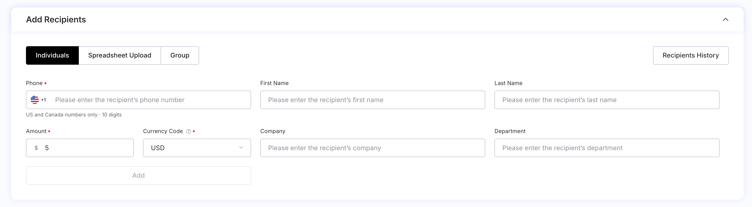
If you send to the same people regularly, save their numbers in Recipient Management and send directly from your address book.
6. Confirm consent and place your order
At checkout, confirm that your recipients have agreed to receive text messages, review the order details, and place your order.
7. Track delivery for every recipient
Under Order Management, open the order to see each recipient’s number and delivery status. If a number was entered incorrectly, you can update it from the order details. To report on a large send, download the order history, which includes the recipients’ phone numbers, amount, and date.
What Your Recipients Receive
Each recipient gets a text like this:
"$25.00 reward sent via Giftronaut. Click to redeem: [link]. This gift will expire in 180 days. Reply STOP to opt out."
When they open the link, they complete a verification step with a one-time code sent to the same number.
Conclusion
Sending gift cards in bulk by text puts rewards in front of people who rarely check email. Turn on text message delivery, choose SMS, add your recipients’ phone numbers, and track every delivery from one order.

FAQs
Is there a fee to send gift cards by SMS?
No. SMS delivery is completely free with Giftronaut, just like email delivery.
Which countries are supported?
SMS delivery supports US and Canadian mobile numbers. To reach recipients in other countries, send by email instead.
Can I mix email and SMS recipients in one order?
No. Each order uses a single delivery channel. Place a separate email order for recipients without a mobile number.
What number will the texts come from?
Texts come from a Giftronaut toll-free number. Every recipient sees the same recognizable sender.
Can I schedule recurring SMS rewards?
Yes. Choose SMS when you set up a Smart Order, or create a campaign with SMS as its channel.
Do recipients need to agree to receive texts?
Yes. At checkout, you confirm that recipients agreed to receive text messages. Recipients can reply STOP to opt out.
How do recipients verify their reward?
Recipients open their reward link and enter a one-time code. The code is sent to the same phone number.