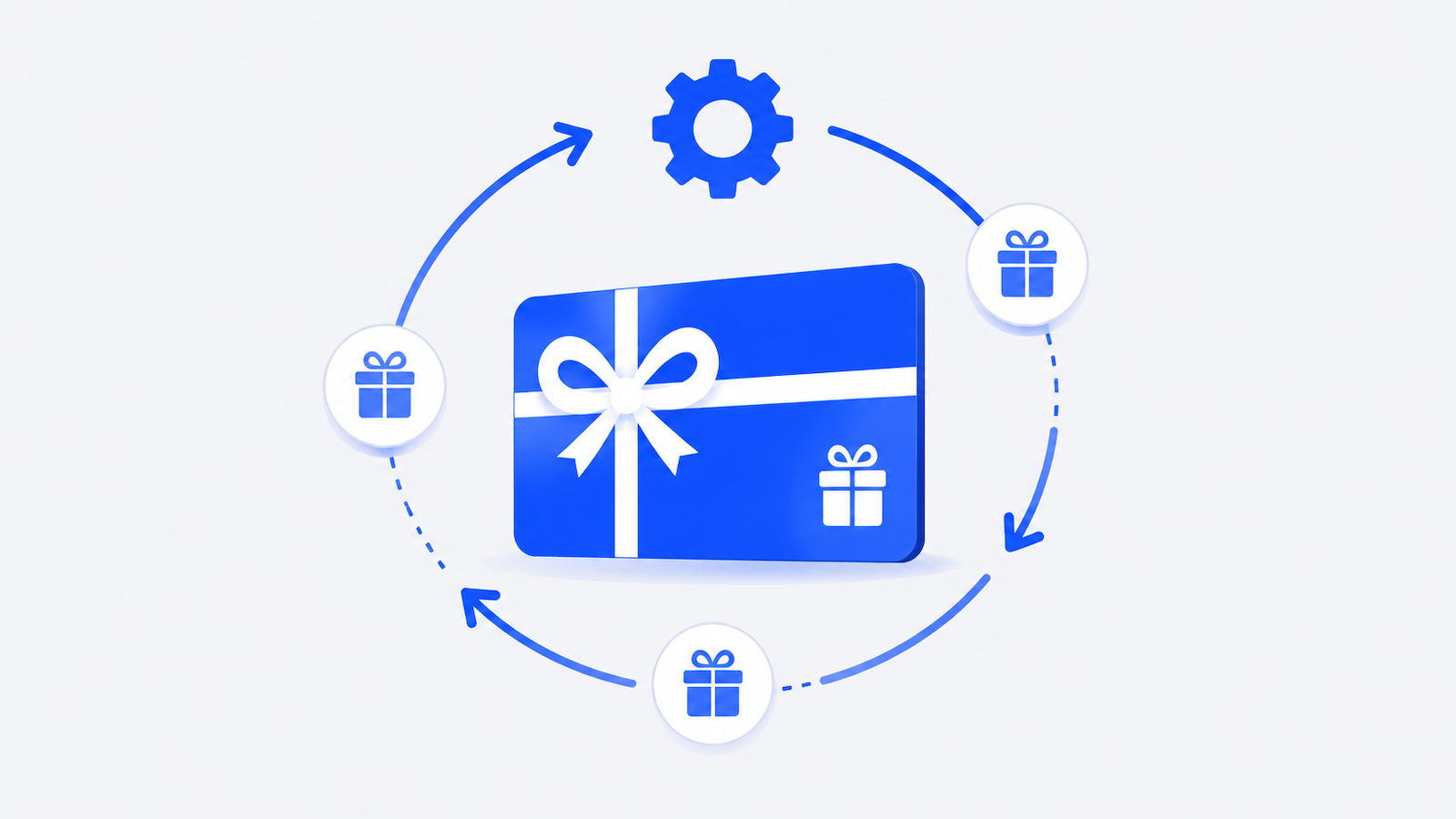
Every marketing team that sends gift cards manually hits the same wall: a spreadsheet full of recipient names, a pile of individual orders, and hours of copy-paste work that shouldn't exist. Gift card automation eliminates that wall entirely — and the teams that have made the switch don't go back.
This guide covers exactly how gift card automation works, which tools make it possible, and how to set up a workflow that runs itself.
📌 TL;DR
- Gift card automation replaces manual sending with triggered workflows — milestone reached, reward sent, no human intervention needed.
- Marketing teams using automation save an average of 6.2 hours per week on repetitive tasks.
- The best setups combine a gift card platform with Zapier or a direct API to connect rewards to your existing tools.
- Giftronaut's Smart Order and Zapier integration let you automate recurring rewards and event-triggered sends from a single platform — zero fees, instant delivery, 4,300+ brands.
What Is Gift Card Automation?
Gift card automation is the practice of sending digital gift cards through triggered workflows rather than manual processes. Instead of an employee placing individual orders, a system detects a condition — a survey completed, a work anniversary reached, a sales milestone hit — and sends the reward automatically.
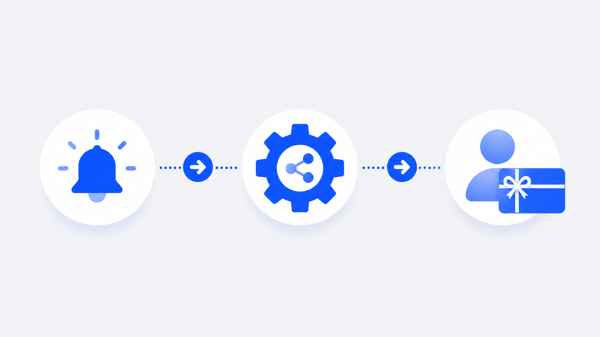
The core components of a gift card automation setup:
-
A trigger — the event that starts the workflow. Examples: a form submission in Typeform, a row added in Google Sheets, a contact property updated in HubSpot CRM, a date reached in a calendar.
-
An automation layer — the tool that connects the trigger to the action. Zapier is the most common no-code option, with 5,000+ app integrations. For engineering teams, a direct API connection works as well.
-
A gift card platform — the service that sends the actual card. This is where denomination, brand selection, email template, and delivery are configured.
The result: a reward program that scales without adding headcount. Whether you're sending 10 rewards a month or 10,000, the operational effort stays flat.
Gift card automation fits naturally into several marketing and HR workflows: survey incentives, referral rewards, customer loyalty programs, employee recognition, sales contest payouts, and event attendance incentives. Any workflow where the same action (send a gift card) follows the same trigger (complete X) is a candidate for automation.
The marketing automation market reached $6.65 billion in 2024 and is growing at 15.3% annually — a direct reflection of how central automation has become to marketing operations. Gift card distribution is one of the last holdouts in many teams, and the ones automating it are gaining a measurable operational edge.
Why Does Manual Gift Card Sending Hurt Marketing Efficiency?
Manual gift card distribution has four failure modes that compound as your program grows.
1. It doesn't scale. Sending 20 gift cards manually is annoying. Sending 200 is a part-time job. Every reward cycle means exporting a list, placing individual orders or uploading a CSV, tracking responses, and following up on bounced emails. Marketing teams using automation save an average of 6.2 hours per week on repetitive tasks — time that manual gift card programs consume directly.
2. It creates delays. A survey respondent who completes your form on a Friday afternoon doesn't receive their reward until someone processes it on Monday. That gap damages the incentive value. In behavioral economics, immediacy is a core driver of reward effectiveness — the longer the delay between action and reward, the weaker the association. Automated sending eliminates the delay entirely.
3. It introduces errors. Manual processes mean manual data entry, and manual data entry means typos, wrong amounts, and missed recipients. A $50 card sent to the wrong email address, or not sent at all, is a direct cost — plus the time to investigate and correct it.
4. It breaks when team members change. A manual gift card process lives in someone's head and their inbox. When that person goes on leave or leaves the company, the process breaks. Automated workflows are documented, repeatable, and independent of any individual.
SHRM research found that HR departments save 1,000+ hours per year by automating administrative processes. Gift card distribution is a textbook example of the kind of repetitive, rule-based task that automation handles better than humans — and frees your team to focus on work that actually requires judgment.
How Does Gift Card Automation Work in Practice?
The mechanics depend on which trigger system you use, but the pattern is consistent across all setups.
No-code automation via Zapier: Zapier connects your existing tools to Giftronaut without any development work. You define a trigger in one app and an action in another. When the trigger fires, Zapier executes the action automatically.
Example workflow — survey incentive:
-
Respondent completes a Typeform survey
-
Zapier detects the new submission
-
Zapier sends the respondent's name and email to Giftronaut via the Zapier integration
-
Giftronaut sends a $25 Choice Card to the respondent instantly
No one on your team touches anything. The respondent gets their reward within seconds of completing the form.
API-based automation: For teams with engineering resources, Giftronaut's Gift Card API enables fully programmatic reward delivery. You place orders, manage recipients, check balances, and access the brand catalog directly from your own system. OAuth 2.0 authentication, sandbox environment for testing, and production endpoints for live delivery. This approach works well for product-embedded rewards — referring a friend, completing an onboarding step, reaching a usage milestone.
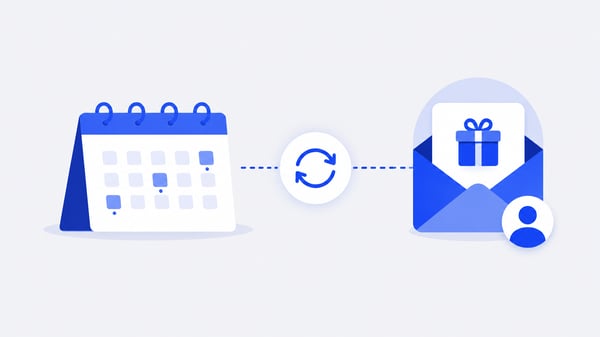
Scheduled automation via Smart Orders: For recurring programs — monthly recognition, quarterly bonuses, annual work anniversaries — Giftronaut's Smart Order feature handles scheduling natively. You configure the recipient list, card value, brand options, and schedule once. The platform executes on the defined cadence without any manual intervention.
77% of businesses using marketing automation report higher conversion rates. The operational logic is the same for reward programs: removing friction from the sending process means more rewards go out on time, to the right people, every time.
What Are the Best Tools for Gift Card Automation?
A complete gift card automation stack has three layers: a trigger source, an automation connector, and a delivery platform. Here's what works at each layer.
Trigger sources (where the event originates):
-
CRM — HubSpot, Salesforce, Pipedrive. Trigger on deal closed, contact property updated, lifecycle stage changed.
-
Survey tools — Typeform, SurveyMonkey, Google Forms. Trigger on form submission.
-
HRIS — BambooHR, Workday, Rippling. Trigger on work anniversary date, onboarding completion, performance review.
-
E-commerce / product — Shopify, Stripe, custom databases. Trigger on purchase, referral completion, milestone reached.
Automation connectors:
-
Zapier — best for no-code setups. 5,000+ app integrations, visual workflow builder, no engineering required. Giftronaut has a native Zapier integration.
-
Giftronaut Gift Card API — best for custom or product-embedded workflows. Full programmatic control, sandbox testing, OAuth 2.0.
Delivery platform:
-
Giftronaut — zero fees, instant email delivery, 4,300+ brands across 225+ countries. Supports both Zapier integration and direct API. Smart Orders handle scheduled automation natively.
The key decision is no-code vs. API. If your trigger source is already in Zapier's catalog (it almost certainly is), the no-code path is faster to set up and easier to maintain. If you need the reward to fire from within your own product or system, the API gives you the control you need.
How Do You Automate Gift Cards with Zapier?
Setting up a Giftronaut + Zapier automation takes under 30 minutes for most workflows. Here's the process.
Step 1: Connect your trigger app. In Zapier, create a new Zap and select your trigger app — HubSpot, Typeform, Google Sheets, SurveyMonkey, or whichever tool generates the event. Select the specific trigger event (e.g. "New Form Submission", "Deal Stage Changed to Closed Won").
Step 2: Connect Giftronaut. Add Giftronaut as the action app. Authenticate with your Giftronaut account credentials. Select the action — typically "Send Gift Card" or "Add Recipient to Order".
Step 3: Map the fields. Connect the data from your trigger to the Giftronaut fields: recipient first name, last name, email address, and card value. Zapier shows you exactly which fields are available from your trigger source.
Step 4: Configure the card. In Giftronaut, set the card type (Choice Card for multi-brand, Branded Gift Card for a specific brand), denomination, email template, and any catalog customizations. For Choice Card sends, you can pre-filter the catalog by category or country so recipients only see relevant brands.
Step 5: Test and activate. Run a test with a real submission to confirm delivery. Once confirmed, turn on the Zap. From that point forward, every qualifying trigger fires a gift card automatically.
For detailed Zapier setup instructions, see Giftronaut's Zapier integration guide.
How Do You Set Up Recurring Gift Card Rewards?
Recurring programs — monthly employee recognition, quarterly incentives, annual work anniversary rewards — are where automation delivers the most value over time. Giftronaut's Smart Order feature is built specifically for this use case.
A Smart Order is a scheduled, recurring gift card send. You configure it once:
-
Recipient list — upload a CSV or build directly in the Giftronaut portal. You can update the list between cycles without reconfiguring the entire order.
-
Card type and value — Choice Card for recipient-selected rewards, or a specific Branded Gift Card if the program calls for it.
-
Schedule — set the send date, frequency, and how many cycles to run. Monthly, quarterly, or one-time future sends all work the same way.
-
Email template — personalize with first name, last name, department, and company name tokens. Set a custom subject line and email display name.
Once the Smart Order is live, Giftronaut handles every send on schedule. You receive automated reminders 7 days and 1 day before each scheduled send — so you have time to update the recipient list if your team changes. After each send, you get a weekly delivery status report summarizing recent order activity.
For teams running anniversary-based recognition, the Smart Order pairs naturally with a Zapier workflow: the HRIS triggers when an anniversary date is reached, Zapier passes the employee data to Giftronaut, and a Smart Order or one-time send fires automatically. The entire program runs without manual oversight.
See how to set up a Smart Order in Giftronaut's help center.
Why Do Marketing Teams Choose Giftronaut for Gift Card Automation?
Marketing teams that automate gift card distribution need a platform that connects to their existing stack, handles global recipients, and doesn't add per-card fees on top of every reward. Giftronaut is built for exactly that use case.
Zero fees, always. Giftronaut charges no per-card fees, no activation fees, and no subscription. Every dollar you load goes to recipients. Compare that to platforms like Sendoso, which require a paid subscription before you can send anything.
Native automation tools built in. Smart Orders handle scheduled and recurring sends natively — no third-party tool required for basic automation. For more complex workflows, the Zapier integration (5,000+ apps) and Gift Card API cover every use case from survey incentives to product-embedded rewards.
Global delivery from day one. Giftronaut covers 225+ countries with country-specific brand catalogs. A marketing team running campaigns across North America, Europe, and APAC sends to all regions from the same platform — no separate vendor relationships, no per-country setup.
Recipient choice at scale. Giftronaut Choice Card lets each recipient pick their preferred brand from 4,300+ options. For marketing programs where recipients span different demographics, geographies, and preferences, a choice-based reward drives higher satisfaction than a single-brand card. You can pre-filter the catalog by category or country before sending, so the options presented to recipients are always relevant.
Visibility and reporting. Every order includes per-recipient delivery tracking — delivered vs. bounced, with one-click resend for bounced addresses. Exportable CSV reports give you full order history at the recipient level.

Frequently Asked Questions
Do I need coding skills to automate gift card sending?
No. Giftronaut's Zapier integration lets you build automated gift card workflows without writing a single line of code. Connect your trigger app (HubSpot, Typeform, Google Sheets, etc.) to Giftronaut in Zapier's visual builder and activate — the entire setup takes under 30 minutes for most workflows. If you need deeper customization or product-embedded rewards, Giftronaut's Gift Card API is available for engineering teams.
What triggers can I use to send gift cards automatically?
Any app connected to Zapier can serve as a trigger — that's 5,000+ tools including HubSpot, Salesforce, Typeform, SurveyMonkey, BambooHR, Workday, Shopify, Slack, and Google Sheets. For API-based setups, any system event in your own product or database can trigger a send. Common triggers include: survey completed, deal closed, anniversary date reached, referral converted, and onboarding milestone hit.
Can I automate gift card sending to international recipients?
Yes. Giftronaut covers 225+ countries with country-specific brand catalogs. Automation workflows handle international recipients the same way as domestic ones — the platform detects the recipient's country and presents the appropriate catalog. Multi-currency support covers USD, CAD, GBP, EUR, AUD, AED, and DKK.
How do I handle recurring rewards like monthly recognition or work anniversaries?
Giftronaut's Smart Order feature is built for recurring sends. Configure the recipient list, card value, schedule, and email template once — the platform executes on your defined cadence automatically. For anniversary-based programs, a Zapier workflow triggered by your HRIS handles the individual date logic and passes each recipient to Giftronaut at the right time.
What reporting is available for automated gift card sends?
Every Giftronaut order includes per-recipient delivery tracking (delivered vs. bounced), a weekly delivery status report summarizing recent order activity, and exportable CSV reports at the recipient level. For orders with the Refund Option enabled, you can also filter by redeemed vs. unredeemed status. All reports are available in the Order History section of your Giftronaut account.
Start Automating Your Gift Card Program Today
Manual gift card distribution is a solved problem. The tools exist, the integrations are built, and the setup takes less than an hour for most workflows. Marketing teams and HR teams that automate their reward programs reclaim hours every week — and deliver a faster, more consistent recipient experience in the process.
Giftronaut gives you everything you need to automate in one place: Smart Orders for scheduled sends, Zapier integration for trigger-based workflows, a Gift Card API for custom builds, and zero fees on every card sent. Try a sample to see the recipient experience, or get started and send your first automated reward today.