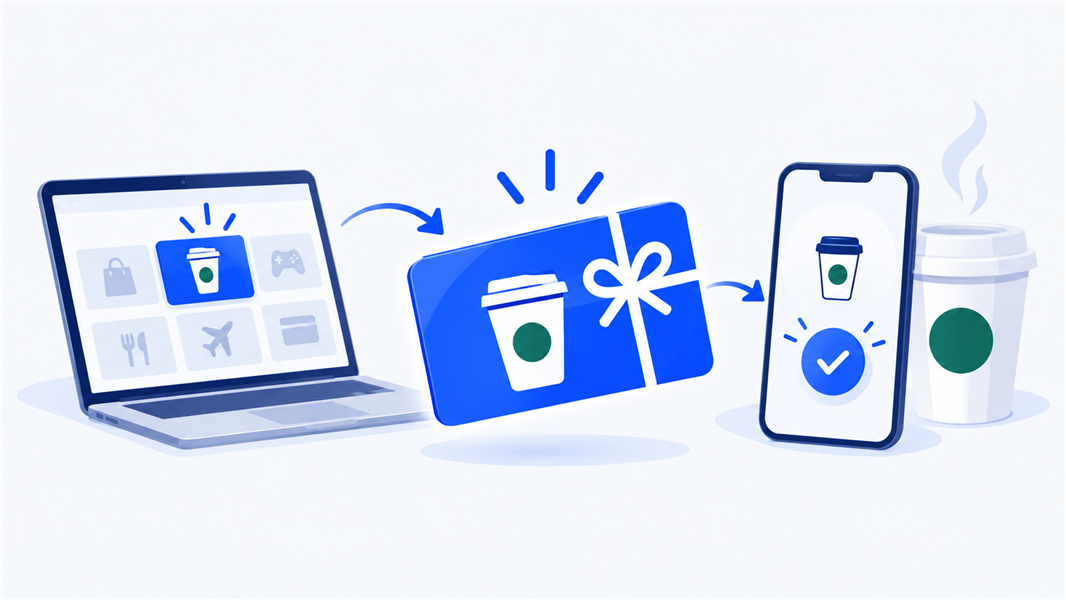
A Starbucks e-gift card, which Starbucks calls an eGift, can be bought at starbucks.com/gift, in the Starbucks app or on Amazon, and sent by email or as a link in a text. On starbucks.com, each eGift is $5 to $100 and one purchase reaches up to 10 people, so for a longer list you either repeat the checkout or send from a spreadsheet with a gift card platform.
My neighbor keeps a running tab of the coffees we owe each other in her phone’s notes. Last spring I was four behind, so I cleared the whole debt from a bus stop with a coffee gift card sent by text. She replied a minute later: “Accepted. You still owe me the walk there.” The tab now reads “one walk.”
At work, a Starbucks e-gift card does the same job. When a teammate stays late to fix the bug that would have sunk tomorrow’s demo, you’d buy them a coffee if you shared an office. A link in a text or an email gets close, and the route you pick decides how many people you can reach, when it lands and how much Starbucks lets you put on it.
What is a Starbucks e-gift card?
A Starbucks e-gift card is a Starbucks Card that arrives by email or as a link instead of as plastic, the same thing people call a virtual or digital Starbucks gift card. Starbucks’ Card Terms describe the eGift program as a way to “purchase and send a virtual Starbucks Card via email, or via certain social media and messaging platforms.”
Each eGift has its own card number, and Starbucks says it “should be treated like cash by the recipient.” Whoever holds the card details holds the money, so a screenshot posted in a group chat is a gift to everyone in it.
Sending e-gift cards from other brands too? Our guide on how to send an e-gift card covers the general steps.
Where can you buy a Starbucks eGift card?
You can buy a Starbucks eGift card from Starbucks itself, on Amazon, or through a gift card platform if you’re sending for a business. Starbucks’ own gift FAQ on starbucks.com/gift points to its website, its app, iMessage and Amazon. Here’s how the routes compare:
| Where you buy | How it’s delivered | Worth knowing |
|---|---|---|
| starbucks.com/gift | Email, on the date you pick | Up to 10 recipients, $5 to $100 each |
| Starbucks app (Gift tab) | A link you send through any messaging app | Handy for one person you already text |
| iMessage on iPhone | A clickable card inside the conversation | Works for Android recipients too, but not in group messages |
| Amazon | Through Amazon’s checkout | Named by Starbucks as a place to buy eGifts |
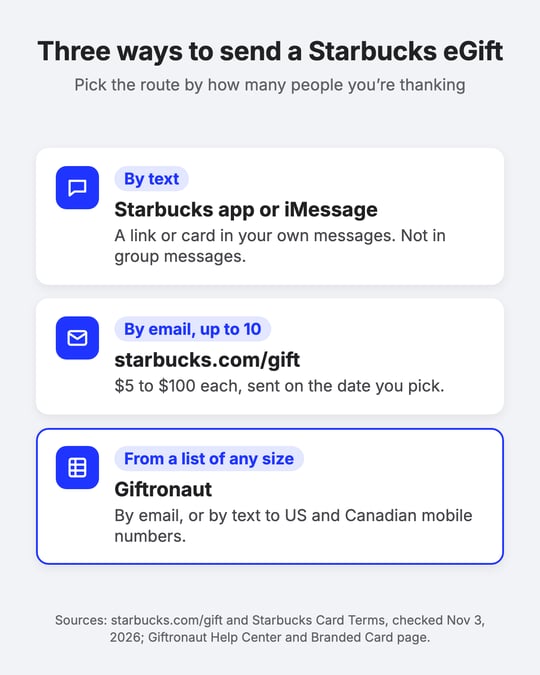
| Giftronaut | Email, or text to US and Canadian mobile numbers | One or thousands of recipients from a spreadsheet |
Be wary of sellers that aren’t on that list. An eGift works like cash, and Starbucks only refunds unused eGifts with the original receipt, so a cut-price card from an unknown seller is a risk you carry alone. Our guide on whether it’s safe to buy digital gift cards covers what to check first.
What about a physical card you can order online? Starbucks’ gift FAQ says physical gift cards “will soon be available via Starbucks Shop.” Until then, it points buyers to Starbucks stores, grocery, drug and national retailers, and online retailers such as Amazon.com. Our comparison of digital and physical gift cards covers the trade-offs.
How do you send a Starbucks eGift card by text?
You can send a Starbucks eGift card by text from the Starbucks app on an iPhone or Android phone, or from iMessage on an iPhone. Either way, the eGift travels as a link or card inside your own messages, so sending one “to a phone number” means sending that link to their number yourself.
From the Starbucks app:
- Open the app and select the Gift tab.
- Pick a design.
- Enter the recipient’s name and the gift amount, then choose to send it by text.
- Check out. You’ll get a link to send through any messaging app, including text message, Instagram, Facebook Messenger or Slack.
From iMessage on an iPhone: with the Starbucks app installed, open a conversation, tap the + button next to the message field and select Starbucks Gifts. Pick a design and amount, confirm, and the gift appears in the chat as a clickable card.
The recipient doesn’t need an iPhone, Starbucks says, but you can’t send a gift card into a group message. Thanking a whole team chat? Send each person their own.
How do you email a Starbucks eGift card to up to 10 people?
You email a Starbucks eGift card from starbucks.com/gift by picking a design and an amount, adding up to 10 recipients and setting a delivery date. The purchase form takes a whole-dollar amount from $5 to $100, and when you add several recipients, the amount and the personal note apply to all of them.
The Card Terms add three details for email gifts:
- You pay today, even for a future date. Your card is charged at purchase, whatever delivery date you pick.
- The email goes out on the day you set. On that date, Starbucks emails the recipient to say they’ve received an eGift from you.
- You’ll know when it’s opened. Starbucks also emails you a confirmation when the recipient opens the eGift email.
Text or email? Text suits one person you already message, because the link lands where they’ll see it today. Email suits a date you’re planning around, such as a birthday, because Starbucks sends it on that day and tells you when it’s opened. For the same choice across other gift cards, see our guide to gift card platforms that support text and email delivery.
How do you redeem a Starbucks eGift card?
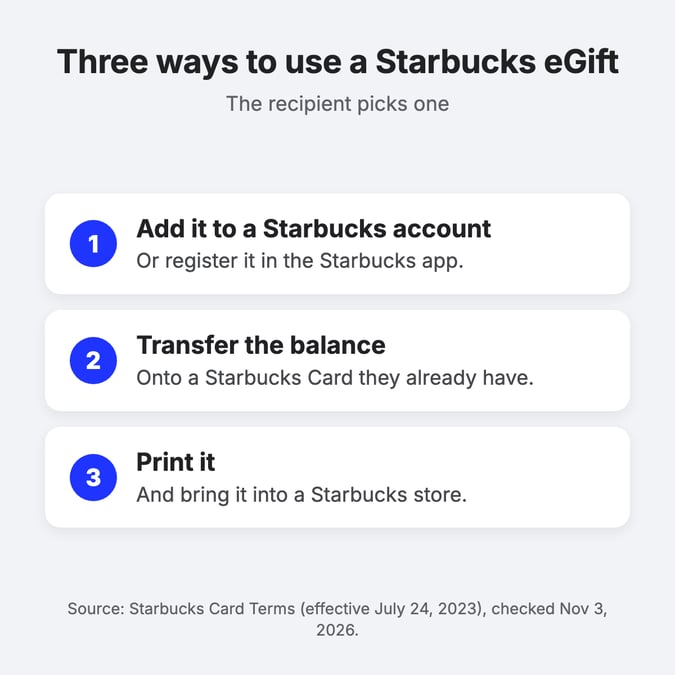
A Starbucks eGift card can be redeemed three ways, and none of them requires the Starbucks app. Under the Card Terms, the recipient can:
- Add it to their Starbucks account, or register it for use in the Starbucks app.
- Transfer the balance onto a Starbucks Card they already have.
- Print it and bring it into a Starbucks store to make a purchase.
Adding it to an account suits regulars. The recipient enters the card number and security code in the app or at starbucks.com/account/cards/add, and the balance then shows in the app’s Scan tab.
Printing suits someone who’d rather skip the sign-up. Each eGift keeps the same card number no matter how many times the email is printed, so a reprint doesn’t create a second card (or a second balance).
Not every Starbucks-branded counter takes Starbucks Cards. The terms name “some airport, grocery and bookstore locations, or stores in Guam” as places that may not accept them, so ask at the counter before you order.
How do you check a Starbucks eGift card balance?
You check a Starbucks eGift card balance with its card number and security code on Starbucks’ Card page, or without the code once the card is registered to a Starbucks Rewards account.
- Unregistered card: use Check balance on Starbucks’ gift card page and enter the card number and security code.
- Registered card: online, open your cards and select Manage. In the app, the Scan tab shows the balance of every card you’ve registered.
- Balance looks off? Starbucks says balances refresh automatically every 4 hours, so give a brand-new card a little time before you worry.
What is the security code used for?
The security code proves the card is in your hands. Starbucks says it “ensures that only the person in possession of the physical card is able to use the gift card,” and on a plastic card it’s printed on the back. You need it with the card number to check a new or unregistered card’s balance and to add a card to a Starbucks account, where Starbucks’ forms ask for an 8-character code.
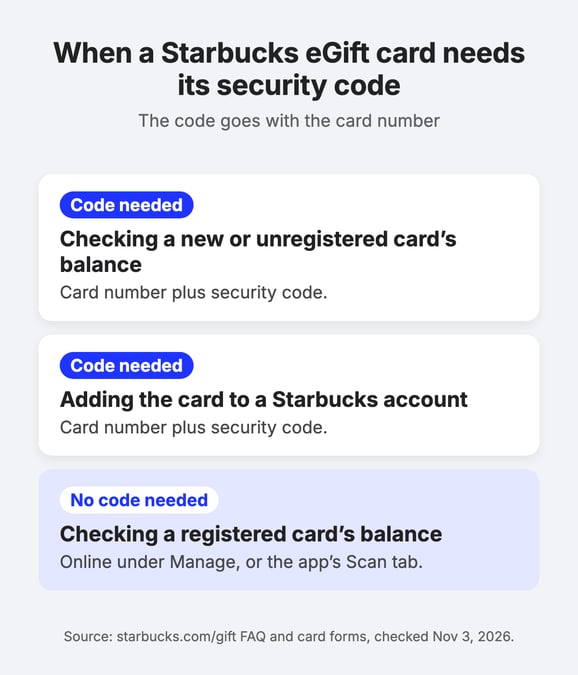
Until the card is registered, treat the number and code together like a PIN: anyone who has both can check the balance or add the card to their own account.
What limits and fees apply to Starbucks eGift cards?
Starbucks eGift cards carry no fees and never expire, but Starbucks caps how much one eGift, one card and one purchase can hold. These are the limits that matter when you send:
| Rule | What Starbucks says |
|---|---|
| Amount per eGift on starbucks.com | $5 to $100, in whole dollars |
| Recipients | Up to 10 per eGift purchase on starbucks.com |
| Several recipients in one purchase | One amount and one note for all of them |
| Balance cap | No more than $500 on one card at any time |
| Daily activity | No more than $2,000 associated with one card in a day |
| Minimum load | Typically $5 |
| Expiry | No expiration date, and the value never expires |
| Fees | No activation, service, dormancy or inactivity fees |
| Refunds | Only for unused eGifts, with the original receipt |
Sources: Starbucks Card Terms (effective July 24, 2023) and the starbucks.com/gift purchase form, both checked November 3, 2026. Starbucks can change these amounts, so check them before a large order.
The 10-recipient cap is the one that catches people out. Say you want to thank a 40-person support team after a busy quarter. That’s four separate checkouts, 40 names and email addresses typed by hand, one amount per batch, and four sets of confirmation emails to track.
If you’re buying for a business, the Card Terms also flag “unique requirements and restrictions on the use of Starbucks Cards by businesses,” such as not reselling the cards or using them to solicit new customers. Starbucks points business buyers to its business-to-business site for the details.
How do you send Starbucks eGift cards to more than 10 people?
You send Starbucks eGift cards to more than 10 people with a digital gift card platform that takes a recipient list, instead of repeating the starbucks.com checkout. Giftronaut sends Starbucks gift cards to one person or thousands in a single order, and Starbucks is one of the five brands our recipients pick most often (Giftronaut data, September 2026).
- One order, any size. Upload a spreadsheet of recipients and give each person a different amount if you need to. There’s no minimum order.
- Email or text. Cards go out by email, or by text to US and Canadian mobile numbers at no extra cost. Texts reach those two countries only, so use email for everyone else.
- On your schedule, in your words. Send now or at a date and time you set, with a template or your own subject line and message. A scheduled order can be canceled until it’s sent, and delivery status shows under Order Management, then Order History.
- No platform fee. You fund your account before sending. ACH and wire deposits carry no fee, and credit card deposits carry a 3% processing fee.
- Teams in other countries. Starbucks availability depends on the recipient’s country, and gift cards can’t be used outside the country they’re issued for. For a mixed team, a Choice Card lets each person pick from 4,300+ brands across 225 countries.
Here’s the order flow:
- In your Giftronaut dashboard, select Place an Order, then One-Time Order.
- Choose Branded Gift Card, select the recipient country, then select Starbucks.
- Enter the amount, pick an email template, and add recipients one by one or upload a spreadsheet.
- Choose Send now or Schedule, review the order summary, and confirm.
Emailed cards come from no-reply@giftronaut.com, so for company inboxes, ask IT to allowlist that address and the giftronaut.com domain before a big send, or text US and Canadian recipients instead.
Our Help Center article on bulk Starbucks gift cards has the full walkthrough. For Starbucks corporate gift cards, from client thank-yous to company-wide orders, our guide to buying Starbucks gift cards in bulk covers the business side, and our bulk gift cards page shows how it works across other brands.
Pick the Starbucks eGift route that fits your list
I did take that walk with my neighbor, for the record. These days, when I send a coffee by text, the message names a day to drink it together, and the notes app has gone quiet.
For one person, the Starbucks app or iMessage gets a coffee into their messages in about a minute. For a handful, starbucks.com emails up to 10 people on the day you set. Past that, a recipient list saves you from repeat checkouts and a trail of confirmation emails.
Whichever route you take, add a line about what the person actually did. The latte is nice, but “thanks for staying late to fix Thursday’s bug” is the part they’ll remember.
Frequently Asked Questions
Can you send a Starbucks gift card to someone’s phone number?
Yes, as a link in a text. In the Starbucks app, choose the Gift tab, a design, the recipient’s name and amount, and the text option. After checkout, send the link through any messaging app, or send one inside iPhone Messages, though not to a group.
Does the recipient need the Starbucks app to use an eGift?
No. Starbucks says recipients can enjoy an eGift with or without the app. They can add it to a Starbucks account, transfer the balance to an existing Starbucks Card, or print it and bring it into a store.
How many people can you send a Starbucks eGift card to at once?
Up to 10 per purchase on starbucks.com, with one amount for all of them. For larger groups, Giftronaut sends Starbucks gift cards to one or thousands of recipients from a spreadsheet, with no minimum order.
How much money can you put on a Starbucks eGift card?
On starbucks.com, each eGift is a whole-dollar amount from $5 to $100. Under Starbucks’ Card Terms, one Starbucks Card can’t hold more than $500 at a time.
Can you order physical Starbucks gift cards online?
Not from Starbucks yet. Starbucks’ gift FAQ says physical cards will soon be available via Starbucks Shop. Until then, it points buyers to Starbucks stores, other retailers and online retailers such as Amazon.com.
Can you schedule a Starbucks eGift card for a later date?
Yes, when you send it by email. On starbucks.com you choose the delivery date, your payment is charged at purchase, and Starbucks emails the recipient on the date you picked.
Can Giftronaut text Starbucks gift cards to people outside the US?
Yes, to Canadian mobile numbers, but nowhere else. Giftronaut texts reach US and Canadian numbers only, so send by email to recipients in other countries. Starbucks availability also depends on the recipient’s country, so select the country first to see whether Starbucks is offered.