
February 26, 2026
Choice Card: Multi-Currency Support
Where you’ll see this:
Dashboard → Place an Order → One-Time Order / Download Reward Link → Add Recipients
We’ve expanded currency options for the Giftronaut Choice Card to optimize the recipient experience.
Newly supported currencies:
-
CAD – Canada
-
GBP – United Kingdom
-
EUR – Eurozone countries
-
DKK – Denmark
-
AUD – Australia
-
AED – United Arab Emirates
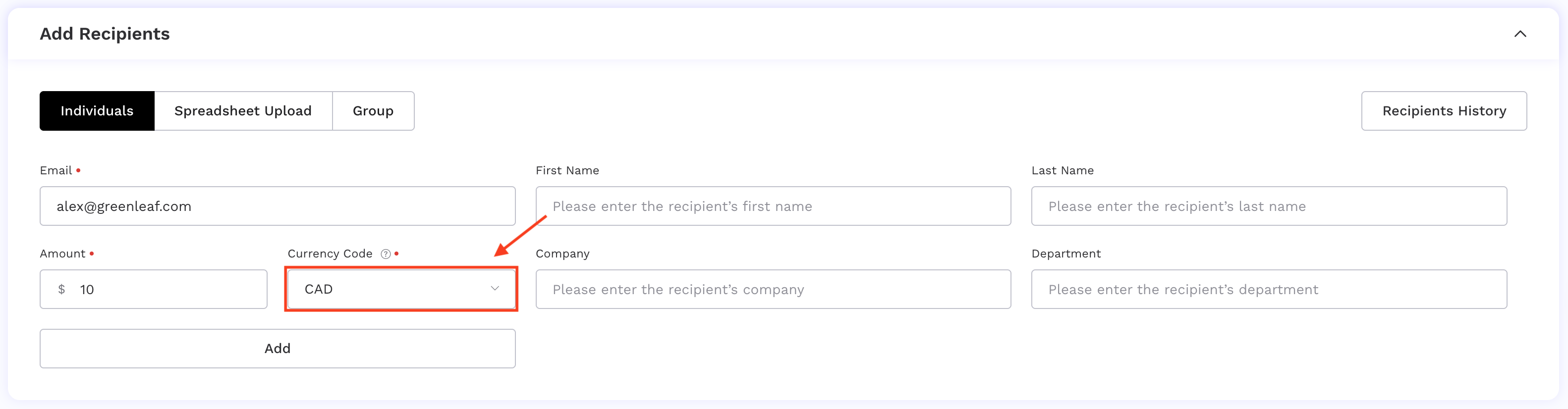
If you already know where your recipients are located, you can now:
-
Send Choice Cards in their local currency
-
Include different currency Choice Cards within the same order
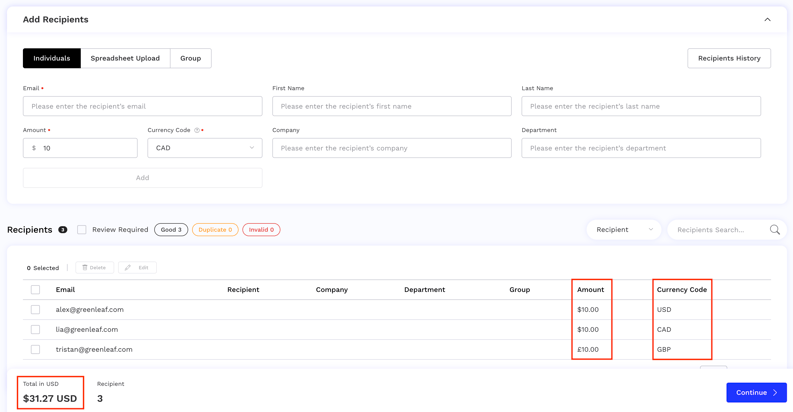
What this means:
-
A cleaner, more intuitive redemption experience
-
No currency conversions on the recipient side
More precision when sending. Less friction when redeeming.
Email Display Name Customization
Where you’ll see this:
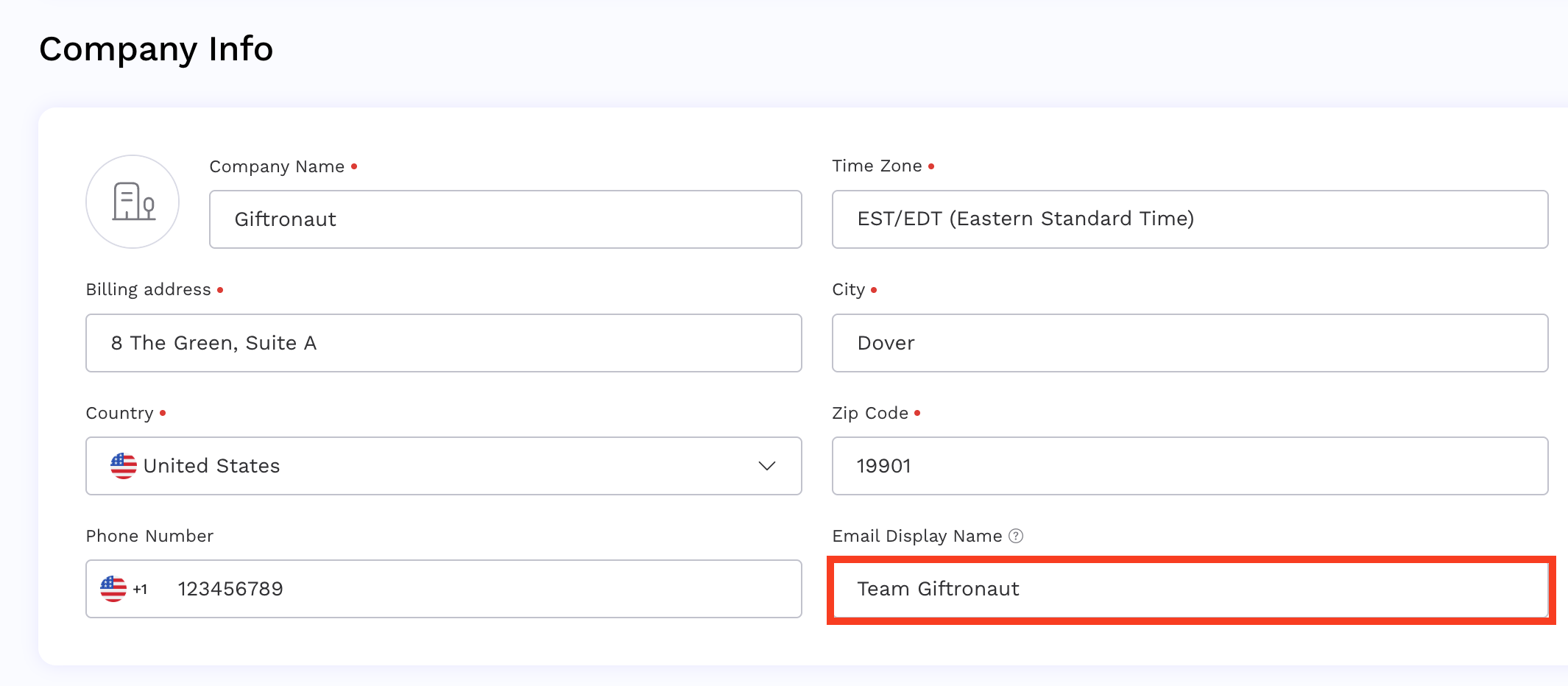
Settings → My Account → Company Info
You can now directly set and manage your own Email Display Name within the portal!
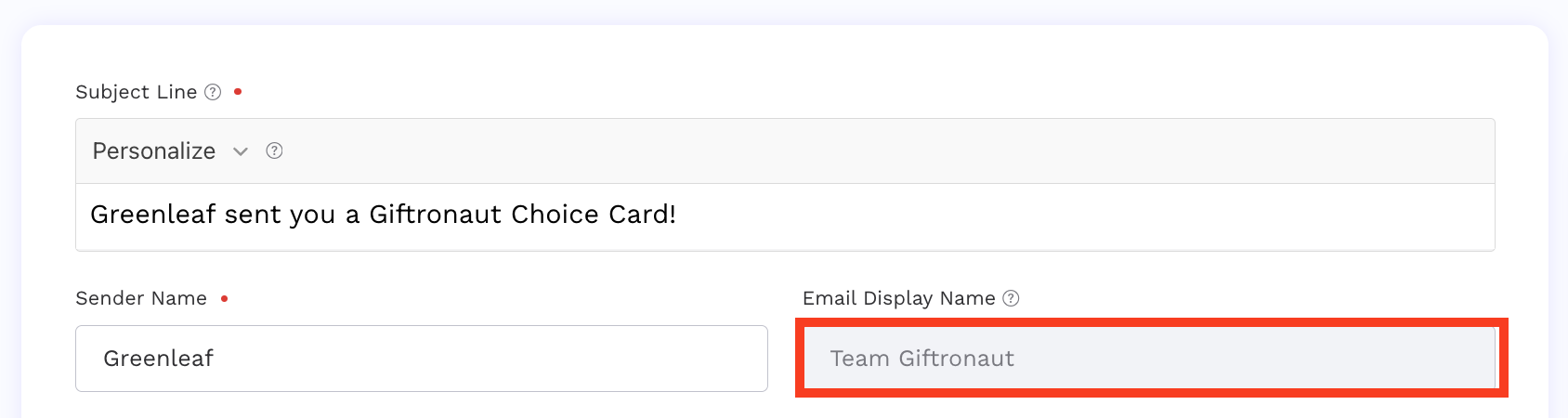
What this means:
- Your company name appears in the recipient’s inbox
- Stronger brand recognition at first glance
Restrictions
- Maximum 50 characters
- Allowed characters: letters and numbers
- Change limit: up to 2 times per month
More visibility. More trust. A more branded reward experience.
Interactive Navigation Tutorial
Where you’ll see this:
Inside the Giftronaut Portal
We’ve launched an Interactive Navigation Tutorial that runs directly on top of the live product interface.
You can now learn by clicking through the platform in real time:
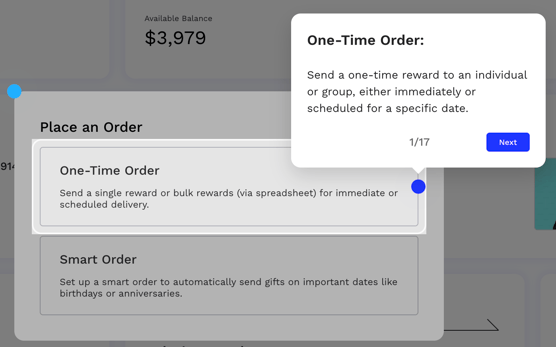
Interactive Tutorials are currently available for:
- Dashboard
- Place an Order – One-Time Order
- Place an Order – Smart Order
- Campaign Management
- Integration
- Team Invitation
The tutorial can be dismissed at any time by selecting Skip For Now or clicking the X button.
You can also manage toggle settings under Product Walkthroughs: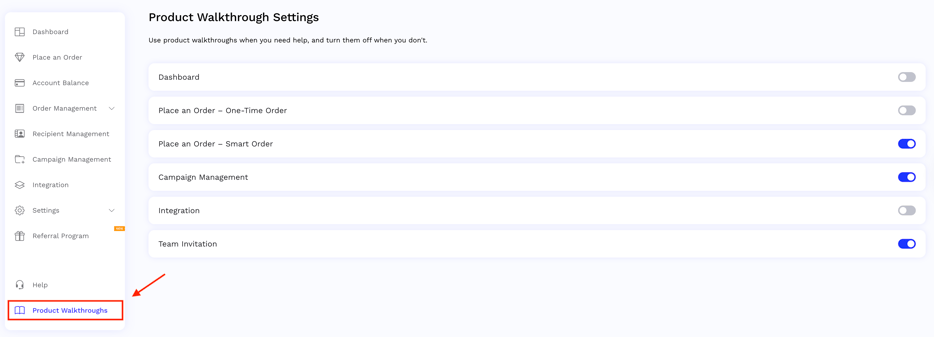
Request Country Availability with Ease
Where you’ll see this:
1. Place an Order → One-Time Order / Smart Order → Branded Card
2. Brand Catalog
3. Sample Choice Card redemption page (send yourself a sample here)
We’ve added a quick and easy way to request country and brand options directly within our product pages.
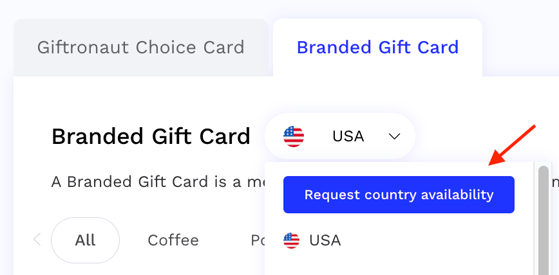
When you click Request country availability, you can submit your request without leaving the portal — no need to navigate away.
One of our team members will follow up to confirm availability and next steps.
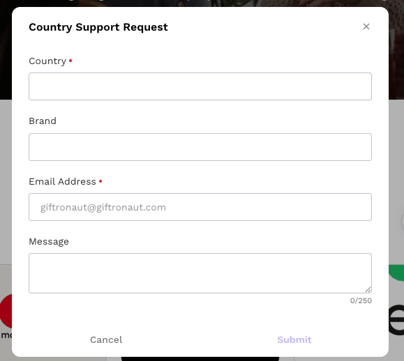
Faster questions, clearer visibility, and less back and forth!
Choice Card Recipient Email OTP Verification
Recipients see this during Choice Card redemption
We’ve introduced email OTP verification for Choice Card redemptions to further strengthen recipient security.
How It Works
1. Receive Reward Email
-
Recipient clicks Redeem your Giftronaut Choice Card
2. Access OTP Request Page
-
Recipient clicks Send Verification Email
3. Email Verification
-
Recipient opens the email and clicks Verify Email and Redeem Gift Card
4. Success
-
Upon successful verification, the recipient is immediately redirected to the redemption page
Recipient Feedback Collection Improvements & Email Notifications
Recipients see this after Choice Card redemption
We’ve enhanced the recipient feedback experience to make appreciation more expressive and more visible to senders.
Feedback pop-up for the recipient after redemption:
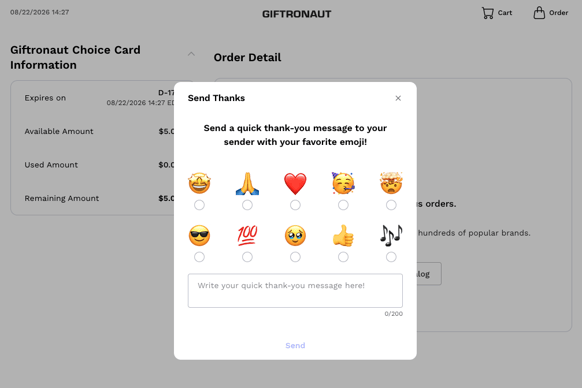
What’s Improved
-
A smoother feedback flow that allows recipients to express their thanks more clearly
New Messages from Recipients Section:
Where you’ll see this:
Main Dashboard
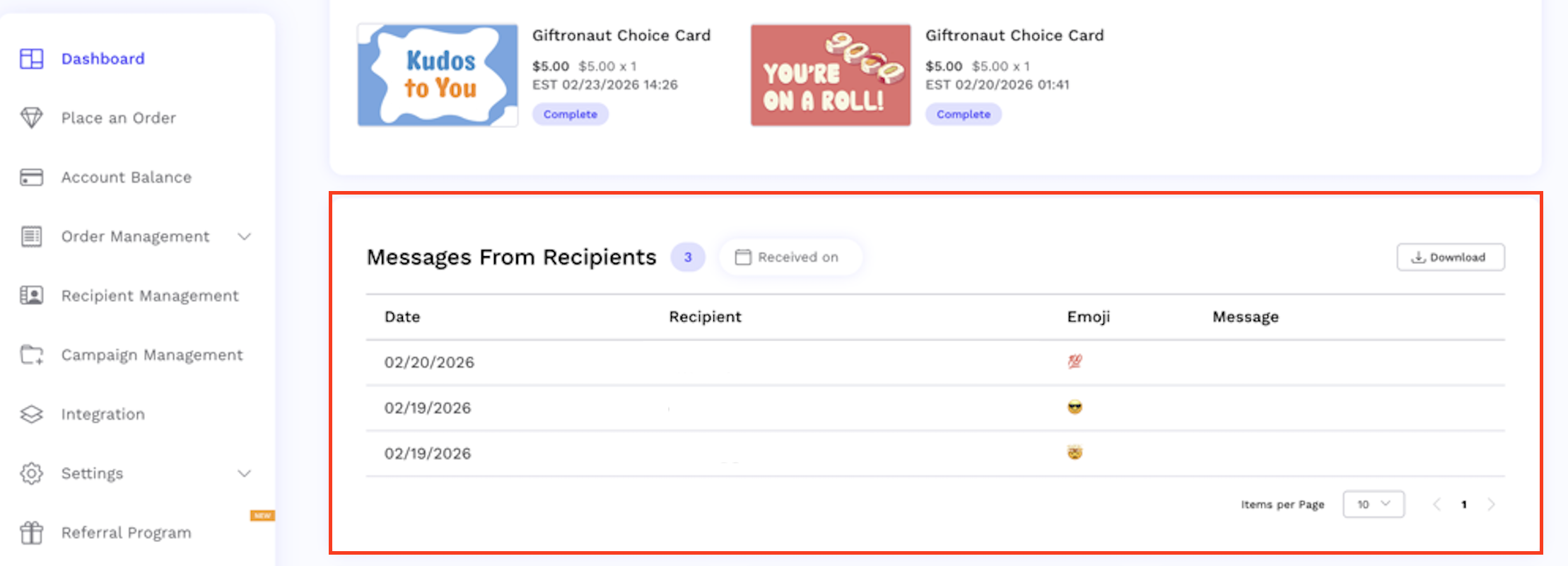
We’ve added a new Messages from Recipients section to the dashboard, giving you a centralized place to view recipient feedback.
More visibility into impact. A more meaningful reward experience.
Updated Terms & New Branding Permission Control
Where you’ll see this:
Inside the Giftronaut Portal
We’ve updated our Terms to provide clearer transparency around branding usage and added a new setting that gives you full control.
The updated Terms clarify that Giftronaut may use your company name and logo solely to identify you as a customer in:
-
Our website
-
Marketing materials
-
Sales presentations
-
Investor materials
This usage is for identification purposes only.
Branding & Publicity Settings Control
Where you’ll find it:
Settings → My Account → Branding & Publicity
We’ve introduced a new permission setting, so you stay in control of how your logo is used.

How it works:
-
Logo usage permission is ON by default after agreeing to the updated Terms.
-
You may turn this permission OFF at any time.
-
When turned OFF, Giftronaut will stop using your company logo in marketing and publicity materials.
We believe in transparency and giving our customers full control. You may revoke logo usage permission at any time directly from your account settings.
If you have any questions, please contact us at support@giftronaut.com.